So that students and other staff members will know who to speak with, it is important to keep your department's directory updated.
Adding
Go to Content > Add Content > Contact.
There are three types of Contacts: People, Service Departments, and Academic Departments. People is the default.
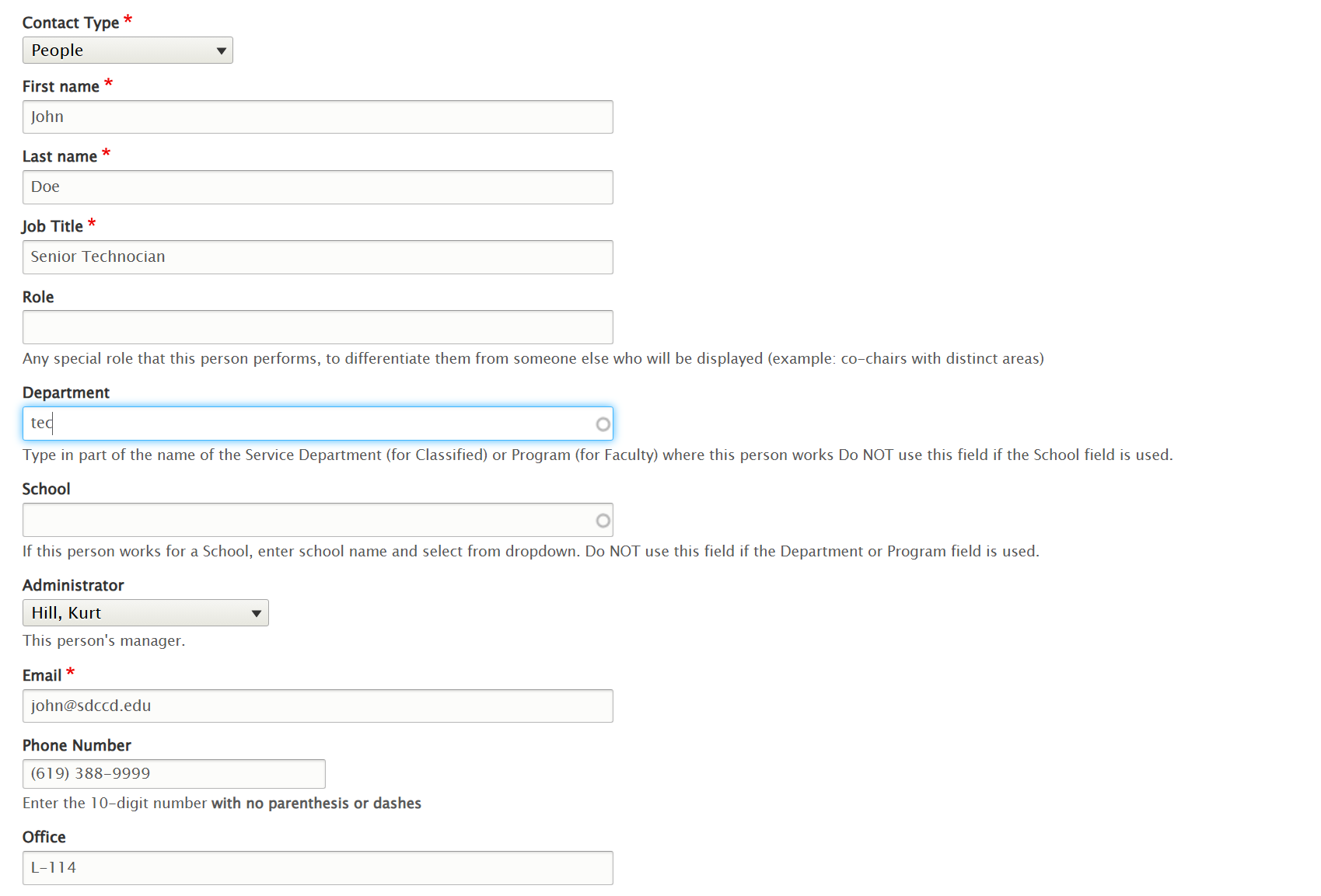
Most fields are self explanatory. For Department, type in the first few letters of your department's name, and select your department from the dropdown.
Select the staff member's supervisor from the Administrator field.
If the person has office hours, enter them in the Schedule field. (Instructions on the Calendar Events page). If you're not going to use it, you must click Remove and remove that section. You can always add it back later.
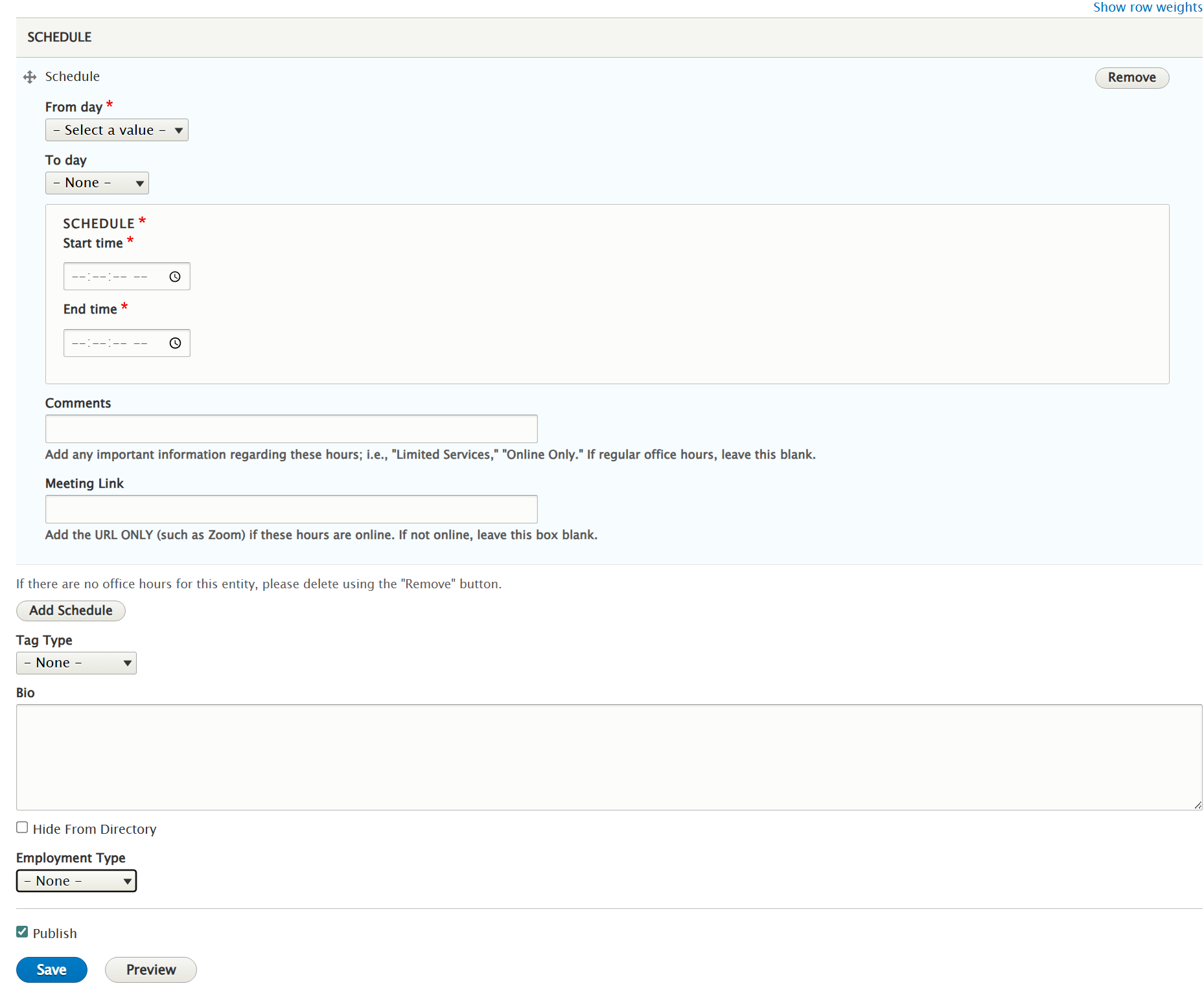
Now, you can safely ignore everything down to Employment Type. There, select the person's category: Faculty, Classified, Supervisor, Administrator, Adjunct. (Adjuncts and NANCE do not appear in the online directory).
Save and you're done. The new entry should appear in the online directory.
Deleting
To remove a person from the directory, go to Content.
Search for type Contact. Type in some of the person's name.
You should see the name in the result list. Click Edit.
When the edit screen displays, click the Delete tab.